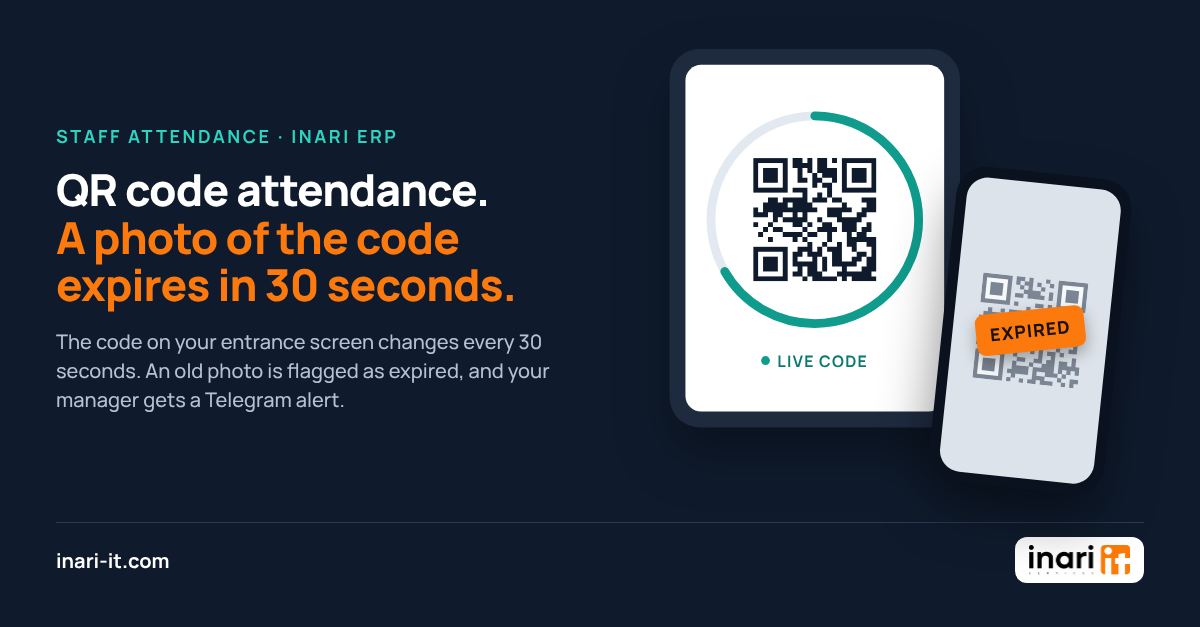
Short answer: use a QR code that keeps changing. In Inari 3C, a screen at the entrance of each shop, office or site shows an attendance QR code that changes every 30 seconds by default. A photo of the code forwarded to a colleague who is still on the way is recognised as expired. A doubtful punch is not blocked: it is recorded with its reason, the employee is asked for a photo and the manager receives a Telegram alert.
Why a printed QR code on the wall is not enough
A QR code printed once and stuck on the wall never changes. One employee can take a photo of it and send it to a colleague, who then clocks in from the road. It is hard to prove after the fact, especially when you run several shops or sites.
How the rotating QR code works in Inari 3C
- Each location gets an entrance screen: a simple web page, without login, protected by a private address.
- The screen shows a QR code that changes every 30 seconds by default. You can choose any interval from 15 seconds to 5 minutes.
- Staff scan the code with their phone to clock in. A code older than the current one is recognised as expired.
- If a phone will not scan, the employee types a short 8-character backup code shown on the same screen.
- Each location can also check the phone’s position within a radius you set, or rely on the position alone.
What happens when a check fails
This is the important part. Inari 3C does not refuse the punch, because blocking hurts honest staff on the day their phone loses its signal. Instead, the punch is recorded with the exact reason: expired code, missing code, outside the radius, or position unreadable.
- The employee is asked for a photo with the punch. A random share of normal punches is also asked for a photo (15% by default).
- The responsible manager receives a Telegram alert.
- Every flagged punch waits on one list for HR to review.
The result is a time record that is complete and honest at the same time: fair for honest staff, hard to game for the others.
Frequently asked questions
Can an employee clock in with a photo of the QR code sent by a colleague?
No. The QR code on the entrance screen changes every 30 seconds by default, and a code older than the current one is recognised as expired. The punch is recorded and flagged as an expired code, so HR sees it.
How often does the attendance QR code change?
Every 30 seconds by default. Each company can set any interval from 15 seconds to 5 minutes.
What happens if an employee’s phone cannot scan the code?
The screen also shows a short backup code of 8 characters that the employee can type. It avoids letters that are easy to confuse, such as I, L, O and U.
Is a doubtful punch blocked at the door?
No. Nobody is turned away. The punch is recorded with the exact reason (expired code, missing code, outside the radius, or position unreadable), the employee is asked for a photo, the responsible manager receives a Telegram alert, and the punch waits on one list for HR to review.
Can I also check that the phone is really at the shop?
Yes. Each location can check the QR code only, the phone’s position within a radius you set, or both.
What do I need at the entrance?
A screen or tablet that opens a web page. The display page opens without a login, and its address is protected by a private token. If you ever need to, you can regenerate the location’s secret, which invalidates all old codes and display addresses at once.
See it on your own sites
The rotating QR code is part of the attendance features of Inari 3C, built in Phnom Penh for Cambodian SMEs. To see the entrance screen in action, contact us or call us at +855 16 733 661.